Devices
Teltonika FTC880 installation guide
How to connect the two FTC880 wires to the battery, position the device correctly and check that it works.
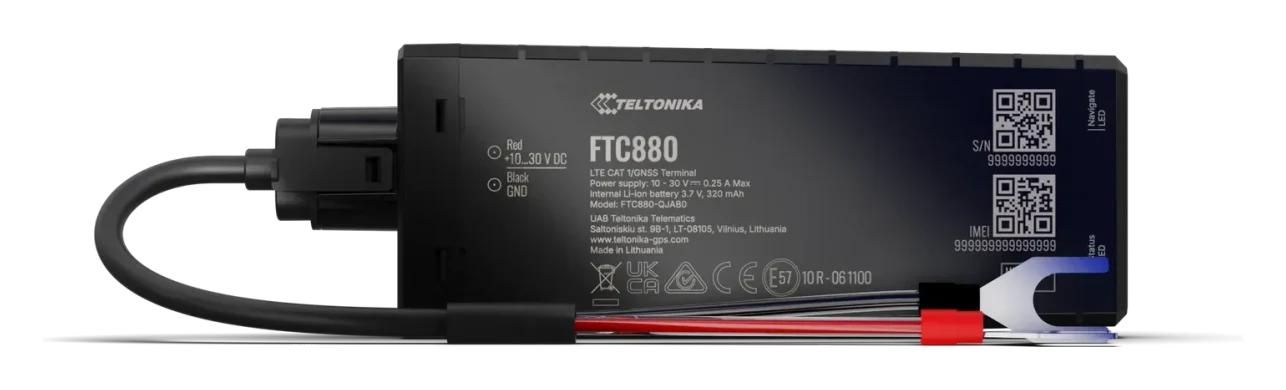
Teltonika FTC880 connects to a vehicle, motorcycle or other machine’s power supply with two wires. It has no separate ignition wire. A tracker bought from us is already configured, with a SIM card installed.
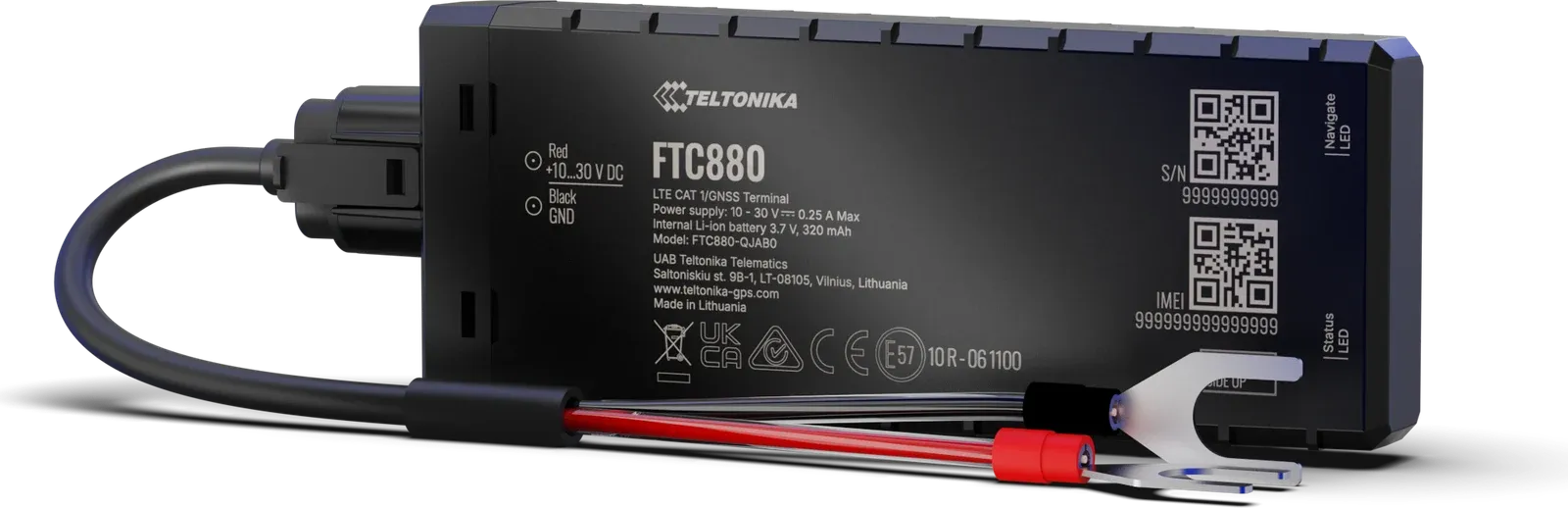
Which wires to connect
| Tracker wire | Label | Connection |
|---|---|---|
| Red, pin 1 | VCC | Battery positive |
| Black, pin 2 | GND | Battery negative |
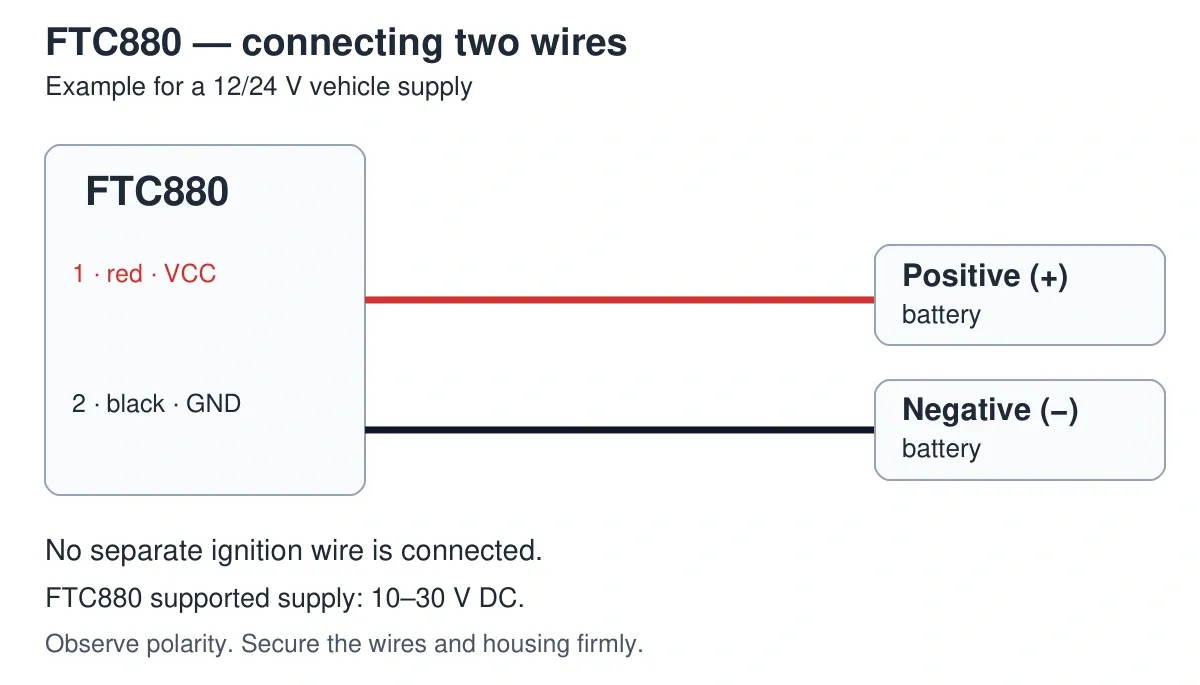
The supported supply is 10–30 V DC. Check the voltage and polarity before connecting. A nominal 12/24 V vehicle system is suitable if its actual voltage stays within this range.
How to install
- Switch off the ignition. Follow the machine’s instructions for disconnecting and restoring power.
- Find an accessible place on or near the battery. The manufacturer provides for mounting the device on the battery using double-sided tape. The surface must be clean and the housing securely attached.
- Position the device with the GNSS antenna and indicator side facing up. Do not cover it with a metal part; check that the battery compartment cover and bonnet can close freely.
- Connect the red wire to positive and the black wire to negative. Use suitable terminals and reliable connections. Do not reverse the wires.
- Secure the wiring away from hot or moving parts. Protect the connections from moisture and damage.
- Restore power and check that data arrives before completing reassembly.
Switch off the ignition before removing the tracker; disconnect its wires only with the circuits isolated from power according to the machine’s instructions.
For a normal installation, you do not need to open the housing, move the SIM card or connect the device to a computer. If the original power connection points are inaccessible or you are unsure about the connection, book an installation.
How to check the device
Place the vehicle or machine in an open area and wait for the tracker to determine its location. Sign in to Mugav Auto GPS, select your vehicle and check for fresh data. A short drive helps check position updates: see Using the app.
The housing has NAVIGATION and STATUS indicators. NAVIGATION flashes once a second when coordinates have been obtained; a steady light means the satellite position has not yet been determined. An unlit NAVIGATION indicator may mean sleep mode or that the device is not operating. Check the connection to our system in the app.
If there is no new data, start with the power supply, polarity, connections and housing position. For help, email klienditugi@mugavauto.ee with the model, vehicle and time of the latest data.
What to consider while parked
FTC880 continues to draw power with the ignition off. On machines with a small battery, particularly during long storage, account for this additional consumption. Less frequent transmissions may reduce energy use; contact us to agree on a suitable mode.
The built-in battery provides a reserve for short interruptions to the main supply. It is not intended for extended operation without the machine’s battery. Movement status is determined by the tracker’s settings; no separate connection to the ignition switch is needed.
Main technical data
| Parameter | Value |
|---|---|
| Power supply | 10–30 V DC |
| Connection | Two wires, positive and negative |
| Mobile network | 4G LTE Cat 1 with 2G support |
| Backup battery | 320 mAh |
| Housing | IP69K |
| Internal fuse | 3 A |
The housing’s protection rating does not replace the need to protect electrical connections and close the device properly.