Choosing a tracker
Battery-powered GPS tracker for trailers, boats and tools
Is the battery-powered ATC700 right for your trailer, boat or toolbox? See what to consider about battery life, charging and placement.
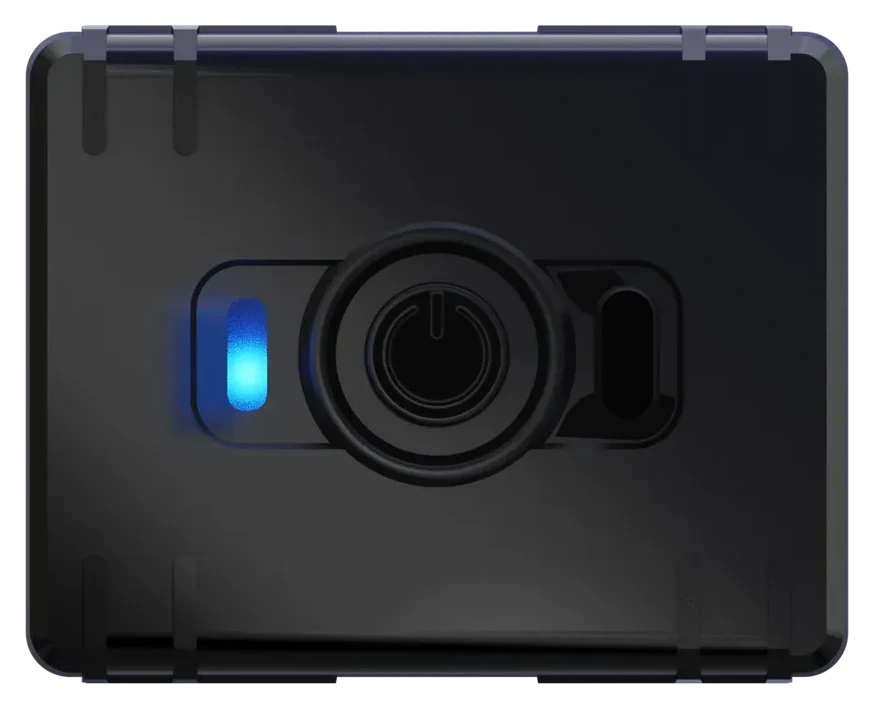
A trailer, boat or toolbox may not have a suitable permanent power source. If you want to track its location without connecting to wiring, a GPS tracker with its own battery is one option. The Teltonika ATC700 can be moved between items or permanently installed on a trailer, in a boat or in a toolbox. For permanent use, provide power from a power bank or a continuous USB-C charging connection; without external power, the tracker needs regular recharging.
Before choosing, consider two questions: how recent do you need the location to be, and how often can you charge the device? Installation without wiring is convenient, but you still need to look after the battery. This matters particularly for property left out of easy reach for long periods.
When is a tracker with its own battery useful?
The ATC700 does not need a vehicle’s electrical system. It has a 1000 mAh rechargeable battery and charges via USB-C. When running on its own battery, the tracker does not draw power from your car or boat battery.
| What do you want to track? | What should you consider before choosing? |
|---|---|
| A trailer | Can you reach the tracker for charging and find a position where metal does not obstruct the signal? |
| A boat | Is there a dry, secure position with the necessary mobile coverage? |
| A toolbox | Can the tracker receive satellite signals, and does the box travel with the tools you want to track? |
A tracker inside a box shows the location of the box itself. It no longer shows the location of a tool that has been taken out and moved separately.
For example, you might want to follow a single trailer journey or a toolbox moving between job sites. These are situations where placement without wiring can be practical. Compare power and installation options in our GPS tracker selection guide.
How long does the battery last?
In our earlier tests, a full charge lasted approximately 4–5 days with a mixture of journeys and stops. This is a result from our test, rather than a promise of the same battery life in every situation.
Battery life depends on how often the device determines and sends its location, mobile reception, the power-saving mode and temperature. Long periods of movement with frequent updates use energy differently from spending most of the time stationary. Battery capacity alone therefore does not tell you when your tracker will need charging again.
During your first few uses, observe how long the battery lasts in your usual conditions. Plan charging around your own experience, rather than relying solely on the number of days from an earlier test.
How does data transmission frequency affect battery life?
The standard ATC700 profile sends data every five minutes while moving and once a day while stationary; a profile with one-minute updates while moving is available on request. Read about the profiles in the ATC700 user guide.
More frequent points give a more detailed picture of movement, but use more energy. Less frequent updates usually extend the time between charges; actual battery life depends on use.
With a five-minute interval, the route of a short trip may be less detailed. An alert about leaving an area also depends on incoming data: a brief boundary crossing may fall between recorded points, and the message may be delayed. Read more in the alerts guide.
If you want to change the settings, contact us. Explain whether you mainly need occasional location checks or as much route detail as possible.
Where should you secure the tracker?
Choose a position where the device stays secure and you can reach it for charging. On a trailer or in a boat, finding a space that fits the tracker is not enough: you also need to check reception. A metal box or a large metal part above the device can impair satellite reception.
For a toolbox, check the data with the tracker positioned exactly as it will be during transport. A test with the lid open does not tell you whether reception is adequate inside a closed metal box.
In a boat, choose a dry position and do not submerge the tracker. Close the USB port’s protective cap after disconnecting the charging cable. The device is not intended for use underwater.
Why does the location sometimes stop updating?
The tracker determines its location using satellites, but needs mobile coverage to send the data; read more in how a GPS tracker works. If the location does not update, check the battery and placement, then check the latest data timestamp using the article “Using the app”. Contact us if a moving device unexpectedly stops sending data.
How should you prepare for use?
- Fully charge the tracker via USB-C. The charging temperature range is 0…+45 °C; allow a device brought in from the cold to warm up first.
- Secure the device in the chosen position and check that fresh data arrives.
- Carry out a short movement test and check whether the selected interval gives you enough information.
- For permanent installation, provide power from a power bank or a continuous USB-C charging connection. Without external power, choose a suitable charging routine and make sure you can reach the device.
Ask us about the settings for power bank use: the dedicated power bank mode needs its own configuration and a USB-C to USB-C cable.
Detailed instructions for charging, indicator lights and the button are in the ATC700 user guide. See the ATC700 product page for model specifications. If you need help with placement and getting started, we can help free of charge at our workshop in Peetri.